
Website Design and Development
Astro vs WordPress: Choosing the Right Approach
Every website platform debate turns into a features war - plugins versus components, themes versus design systems. That’s not very useful if you’re actually trying to decide what to build on. So here’s the practical version, based on sites we’ve actually moved between the two.
Where WordPress genuinely wins
WordPress’s biggest strength isn’t technical, it’s organisational. If more than one person needs to add or edit content without touching code, the WordPress admin is still hard to beat. The block editor is familiar, plugins exist for almost anything, and you can hand a client a login and a short video and they’re productive within the hour.
It’s also genuinely mature. Whatever problem you’re having, someone else has had it, and there’s usually a plugin, a forum thread, or a Stack Overflow answer already.
Where it costs you
The flexibility comes at a price, and it’s one we’ve paid directly. We recovered the old contentkings.ie WordPress install as part of this website rebuild - two All-in-One WP Migration backups, the most recent running to 290MB. Buried in that recovery: a 2015 WordPress compromise that injected six pharmaceutical spam pages into the site (classic signs - single-capture Wayback snapshots, nonsense URLs like /viagra-uk/, all gone within a day of the next crawl). That’s not a knock on WordPress itself so much as on what a large, plugin-heavy install actually is: a bigger attack surface than most site owners realise, maintained by whichever plugins happened to be installed at the time.
The same backup showed a fairly typical plugin stack for a site that age - an SEO plugin, an internal-linking plugin, a forms plugin, a login-security plugin - each one a separate thing that needs updating, each one a separate way for something to break or be exploited.
Performance is the other recurring cost. A WordPress site can be made fast, but it takes active, ongoing effort: caching layers, image optimisation plugins, a decent host, periodic plugin audits to remove anything unused. None of that is automatic, and it’s the first thing that slips once nobody’s actively maintaining the site.
Where Astro wins
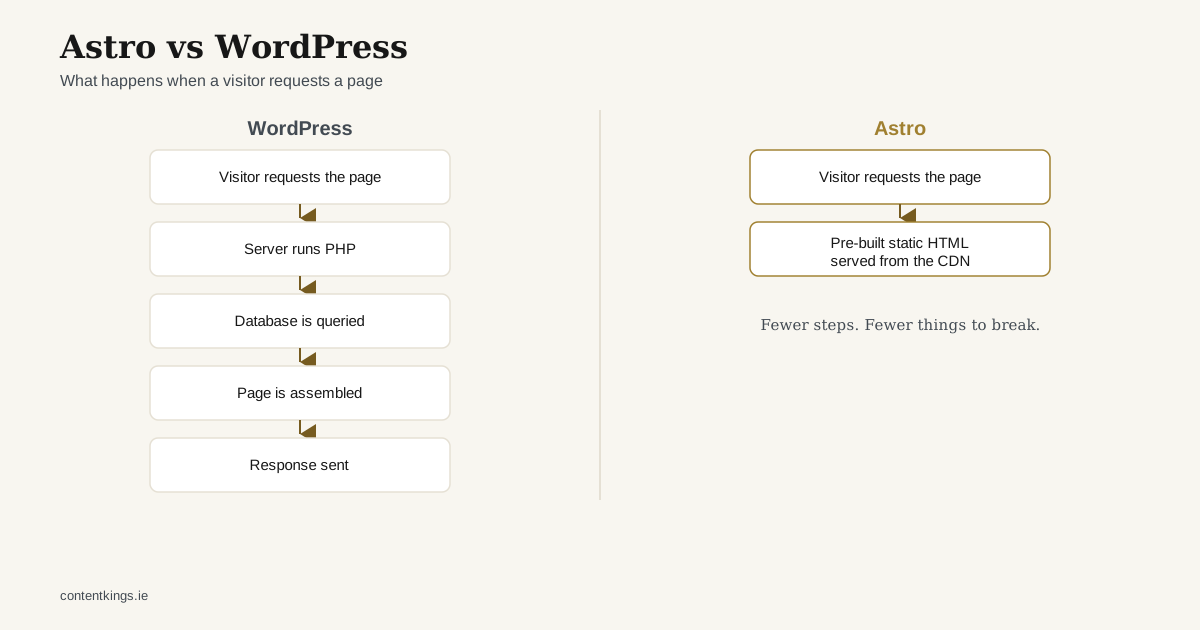
Astro’s starting position is close to zero JavaScript shipped to the browser by default, and pages rendered to static HTML at build time. That’s not a configuration you have to remember to apply - it’s what you get unless you deliberately opt into more. For a content-focused site (which is most business websites), that’s a genuinely different default to start from.
It also has no live admin surface to attack. There’s no /wp-admin/, no plugin ecosystem to keep patched, because there’s no database and no runtime application serving the site - just files, generated at build time and served from a CDN. The entire Content Kings portfolio runs this way now: CausewayCoast.holiday, GaelicPlacenames.org, Multi Active Coaching, this site itself.
Where it costs you
Content editing is the honest trade-off. Astro has no built-in admin UI. Content lives in Markdown/MDX files (or a headless CMS bolted on top), which means changes go through a developer workflow - git, a pull request, a deploy - rather than a login and a “Publish” button. For a single content owner who’s comfortable with that workflow, it’s not a real cost. For a team that needs several non-technical people editing content daily, it’s a genuine gap that needs a CMS layer to close properly.
The plugin ecosystem doesn’t exist in the same way either. Need a booking widget, a forum, a complex membership system? WordPress has a plugin. Astro has you (or us) building or integrating it directly, which is more work up front for anything beyond content and forms.
How we actually decide
In practice it comes down to one question: who edits the content, and how often?
- One or two people, comfortable with a lightweight workflow, content-led site: Astro. This is most of our own portfolio, and it’s what this site is built on.
- A content team that needs to self-serve daily, or the site needs heavy e-commerce/membership functionality: WordPress, built properly, with a real maintenance plan from day one rather than an afterthought.
- An existing WordPress site that’s slow, hard to maintain, or has accumulated plugin debt, but the content itself is still good: that’s a migration conversation, not a rebuild-from-scratch one - see our piece on planning a website migration.
Neither platform is “better” in the abstract. The question is always what the site actually needs to do, and who needs to keep it running.