
Website Performance and Accessibility
What Core Web Vitals Actually Mean for Your Business
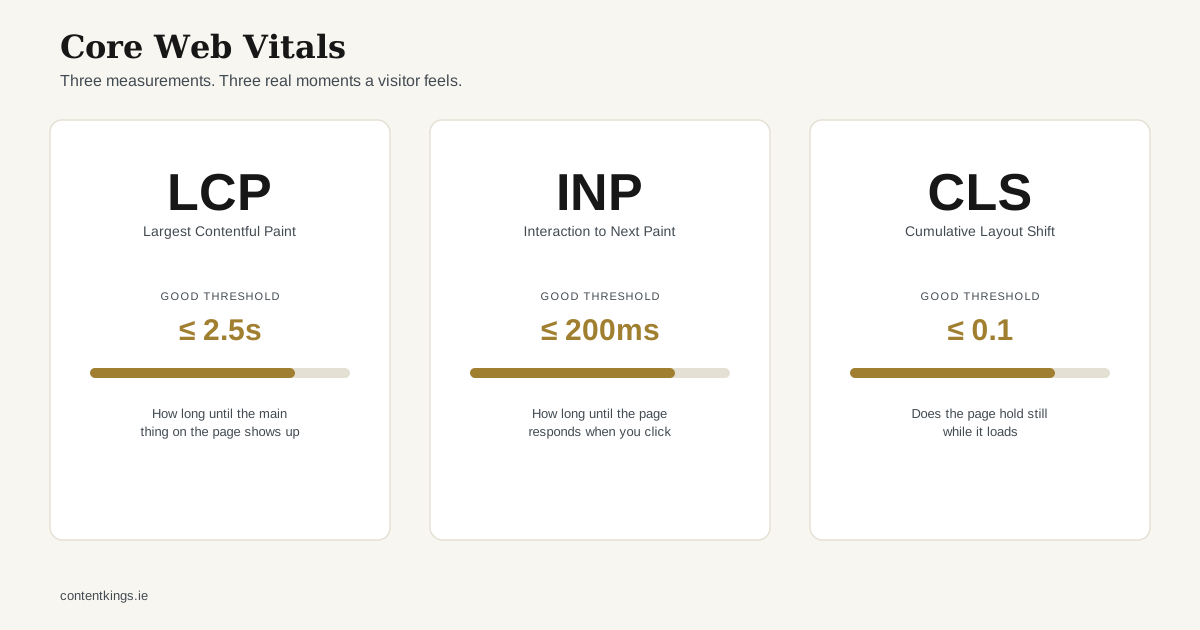
“Core Web Vitals” gets thrown around as a single pass/fail grade, which makes it sound more mysterious than it is. It’s actually three separate, specific measurements, each describing a real moment a visitor experiences on your site. Here’s what each one means, and what actually changes them - not in theory, but the specific decisions we made building this site.
Largest Contentful Paint (LCP) - “how long until the main thing shows up”
LCP measures how long it takes the largest visible element - usually a hero image or a big headline - to render. Google’s current good threshold is 2.5 seconds or less, measured at the 75th percentile of real visits, not a single lab test.
What actually moves this number, in our experience:
- Image weight. The single biggest lever. On this site, a 1.5MB source logo gets automatically compressed down to roughly 6KB as a served WebP file at build time, because Astro’s image pipeline generates properly sized, modern-format images rather than shipping whatever resolution the original file happened to be.
- Font loading. Fonts that block rendering while they download will delay LCP if your largest element is text. We self-host Manrope and Inter through Astro’s own font pipeline rather than pulling them from Google Fonts at request time - one less external domain to connect to before anything can render.
- Never lazy-load the thing you’re measuring. It’s a common mistake: applying
loading="lazy"globally, including to the hero image that is the LCP element. That setting should only ever apply below the fold.
Interaction to Next Paint (INP) - “how long until the page responds when you click something”
INP replaced an older metric (First Input Delay) in 2024 and measures responsiveness across the full visit, not just the first interaction. The good threshold is 200 milliseconds or less.
The practical driver here is almost always JavaScript - specifically, how much of it is running on the main thread when someone taps a button or a link. The most reliable way to keep INP healthy is the boring one: ship less JavaScript. This site has exactly one small client-side script (the mobile menu toggle) and otherwise renders as static HTML with no framework runtime shipped to the browser at all.
Cumulative Layout Shift (CLS) - “does the page jump around while it loads”
CLS measures unexpected movement - the classic example is tapping a link just as an ad or image loads above it and pushes the whole page down. The good threshold is 0.1 or less.
This one is almost entirely preventable with one habit: always give images and embeds explicit dimensions, so the browser reserves the right amount of space before the file has finished loading. Every image on this site is processed through Astro’s <Image> component, which sets width and height automatically rather than leaving the browser to guess and reflow once the real image arrives.
Why this is a business question, not just a technical one
None of these numbers are vanity metrics - each one maps to something a real visitor feels: does the page show up fast, does it respond when I interact with it, does it hold still while I read it. Google uses field data (real visits, not lab tests) from the Chrome User Experience Report as one input among many ranking factors, but treating Core Web Vitals purely as an SEO checkbox misses the more direct point: a site that’s slow or janky loses visitors regardless of where it ranks.
The practical takeaway for a business owner commissioning a website isn’t to obsess over the exact numbers - it’s to ask whoever builds the site what their actual defaults are for image handling, font loading and JavaScript. “We optimise images” is not an answer. “Every image goes through an automated pipeline that generates correctly sized, modern-format files, and nothing ships to the browser that isn’t needed” is.